












From Scan to Plan with Precision.

The professional 3D room scanner app for iPhone and iPad

Scan a room with your iPhone and get an accurate 2D floor plan or 3D model — in minutes. Metaroom is built for architects, energy consultants, lighting designers, building trades, and more. No laser scanner. No manual redraw. Just scan and export to your CAD software.

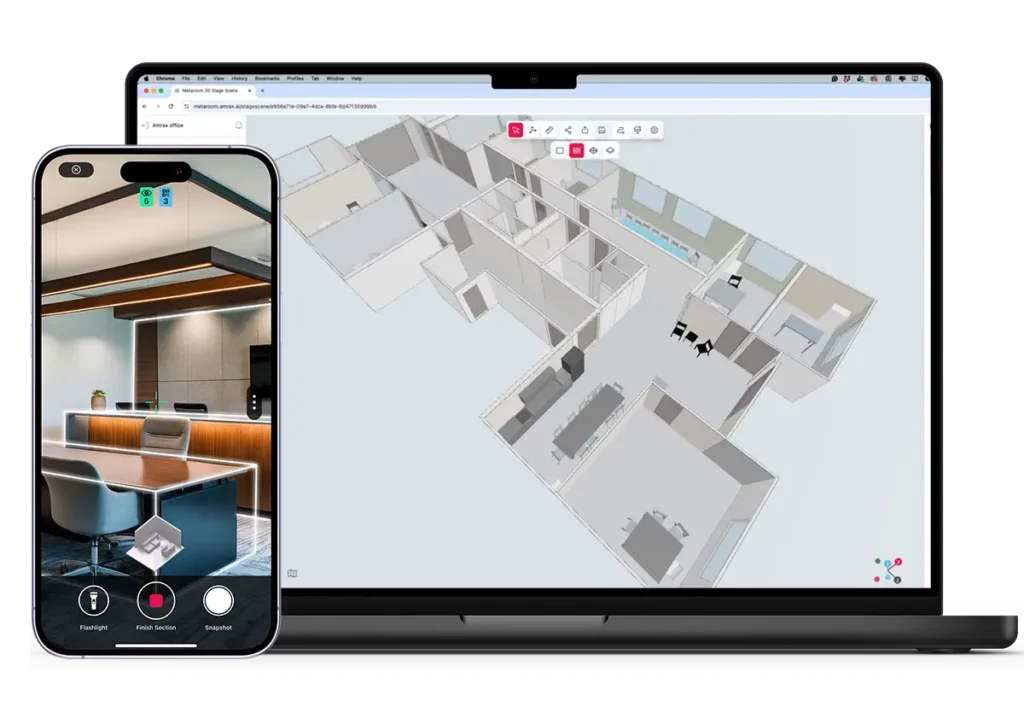
The image shows the Metaroom platform: a combination of a 3D scanning app for iPhone Pro and how the 3D model looks on a desktop device.

4.7 • 800+ reviews

✓ Free to start No credit card required Join 30,000+ experts

TRUSTED BY

TRUSTED BY

TRUSTED BY

200+ hrs saved

per professional per year on average — by replacing manual measurements with a single scan. 100,000+ models created.

(function() { function mrstatRespond() { var wrap = document.getElementById('mrstat-wrap'); var num = document.getElementById('mrstat-num'); var desc = document.getElementById('mrstat-desc'); if (!wrap) return; if (window.innerWidth <= 768) { wrap.style.padding = '20px 24px'; desc.style.fontSize = '16px'; } else { wrap.style.padding = '28px 36px'; desc.style.fontSize = '18px'; } } mrstatRespond(); window.addEventListener('resize', mrstatRespond); })();

"Metaroom has significantly reduced the time I spend on measurements compared to traditional laser method"

Marc Mörgeli

|

Lighting Consultant & Project Manager @ Tulux AG

From site visit to floor plan in under an hour

Scan on-site. Get a floor plan. Export to CAD, PDF, or 40+ other formats.

Two smartphones showing an Metaroom Scan. The left phone displays a live scan of a room with two chairs, a table, and a 3D floor plan. The right phone shows a 3D room model of the scan identifying a refrigerator with its dimensions.

Scan on-site

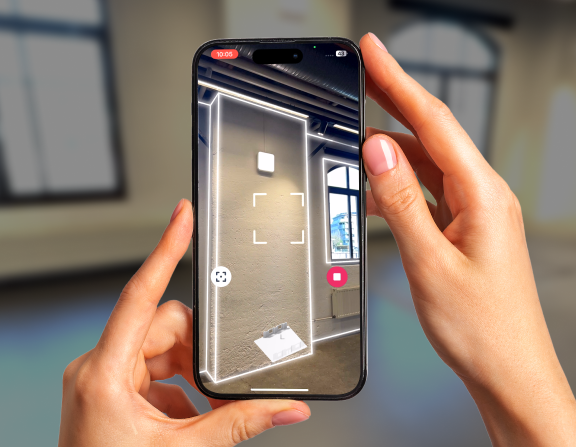
Walk the space with your iPhone Pro or iPad Pro. One room takes about 10 minutes. No special training needed.

Metaroom Platform - Workflow 02

Your floor plan is ready

Open the Metaroom Workspace in any browser. Your floor plan is generated automatically — adjust anything before you export.

Metaroom Platform - Workflow 03

Export to your tools

Download in the format your software uses — DXF, IFC, PDF, and 40+ others. Open directly in your existing tools.

✓ Free to start No credit card required Join 30,000+ experts

Built for the professionals who measure spaces

Discover how Metaroom is changing the industries of spatial planning by digitizing the whole process.

Explore the Metaroom platform

With Metaroom, you can digitize any space, instantly access and customize your 3D room models, and download CAD-ready 2D or 3D files.

Capture a space

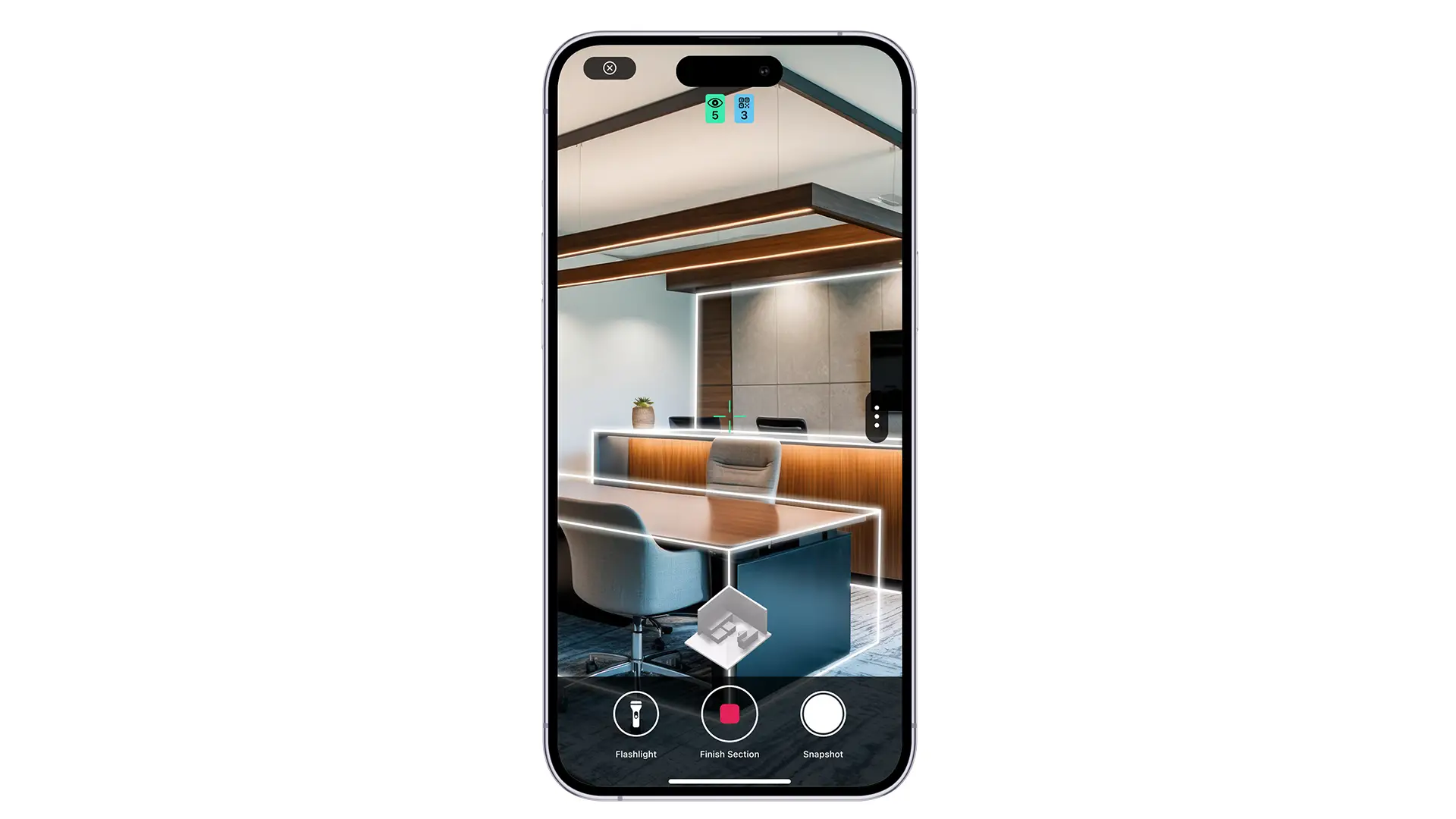
Say goodbye to bulky equipment—your phone, paired with the advanced Metaroom Scan App, becomes the ultimate 3D scanning solution. Scanning is simple, requiring no expert knowledge.

Customize in the Workspace

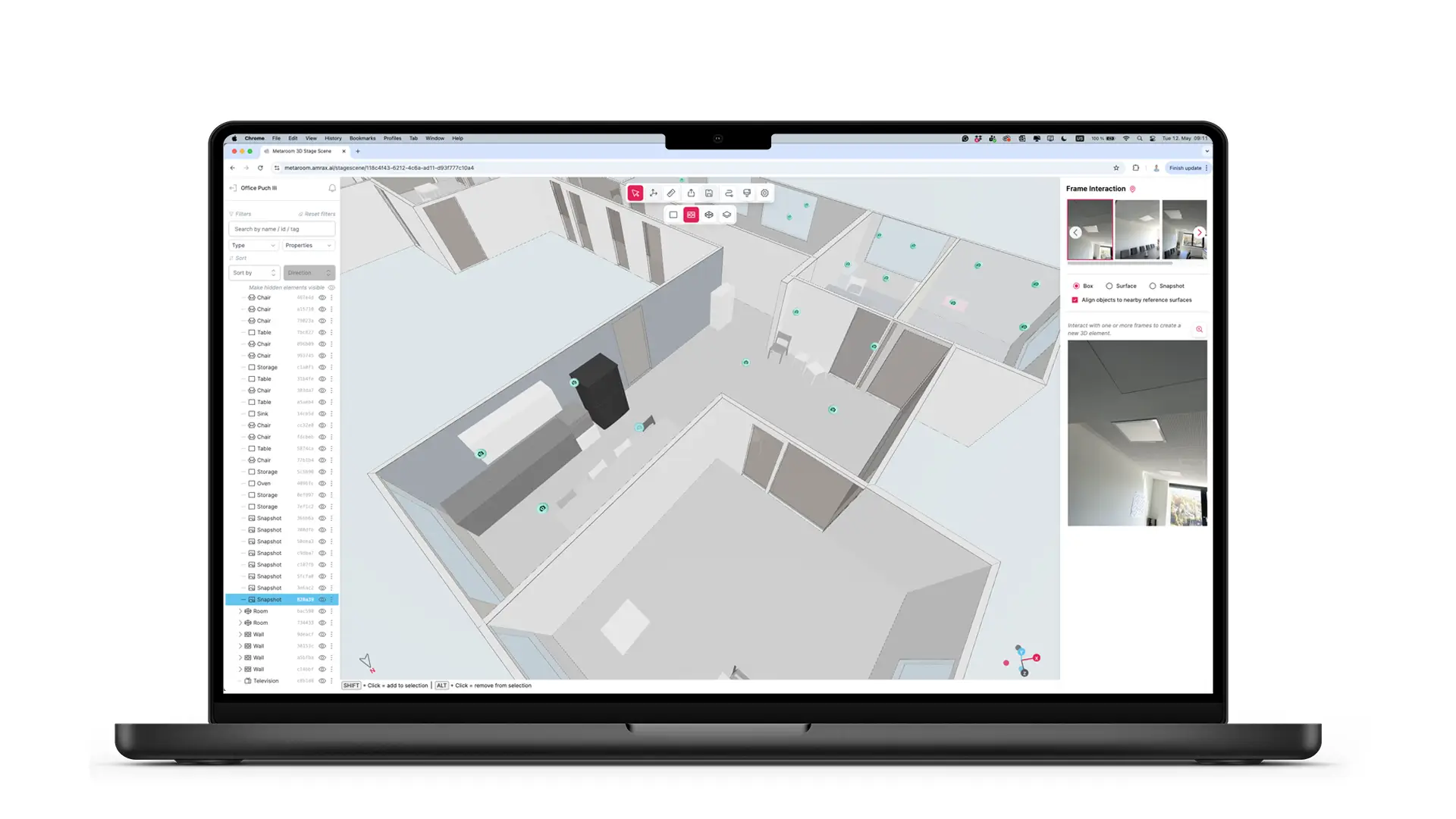
Simply open your browser on your desktop to access and customize your 3D models. Share your room models and collaborate seamlessly with your team in the Metaroom Workspace.

A computer screen displays a 3D modeling software interface showing indoor navigation paths and analysis details for an created object labeled as a yellow column.
Integrate

Export CAD files

Use integrations or export your 3D models to your preferred CAD software. Our exports ensure professional results with consistent accuracy and detail.

Step inside Metaroom

Explore the unique features of the Metaroom’s platform to streamline your planning workflow and export detailed 3D models.

Metaroom Studio Mockup

2D or 3D? The Choice is Yours.

Select needed export format. Download 3D model or 2D floor plan. Continue your work in CAD software.
2D PDF Plan & Report

2D Floor Plans & Reports

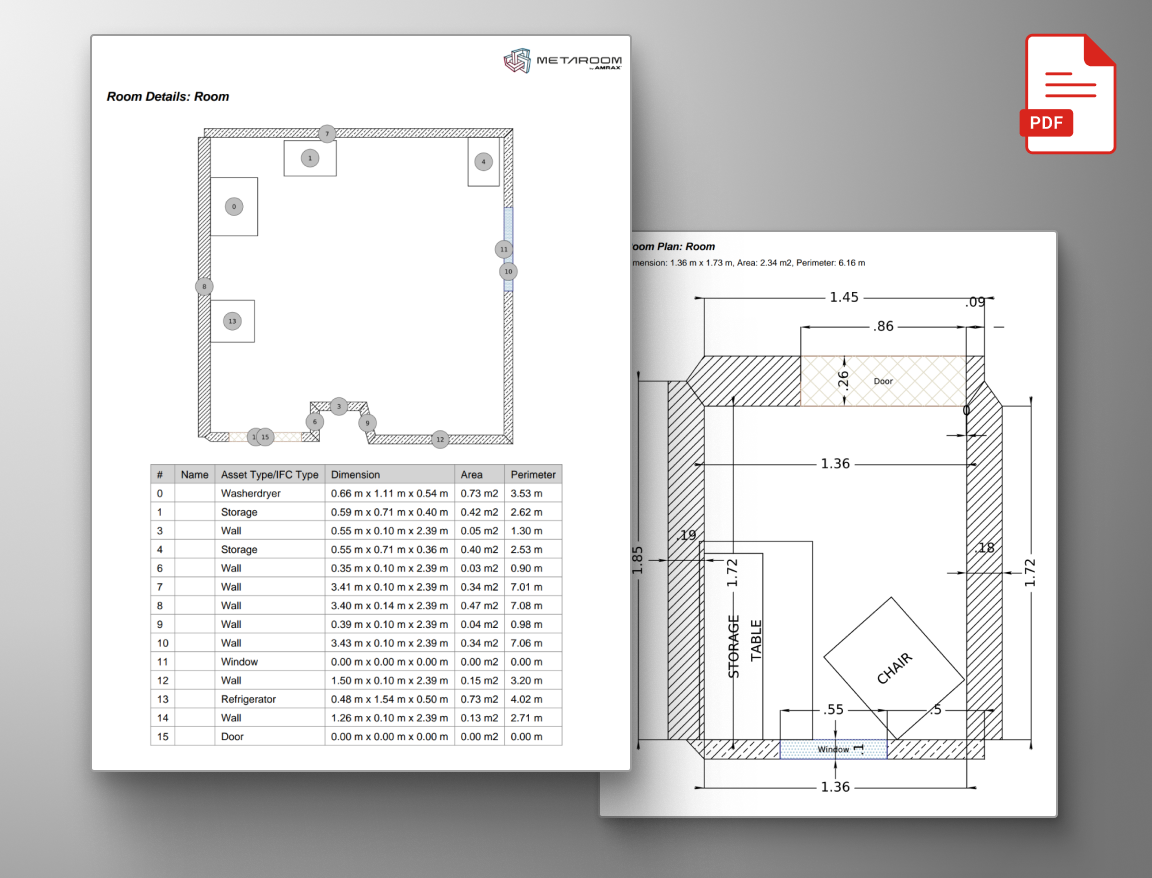
Metaroom offers two key formats for 2D floor plan exports: 2D DXF for continued work in CAD software, and 2D Project Reports in two PDF formats for detailed documentation.

3D model for retrofit planning

3D Room Models

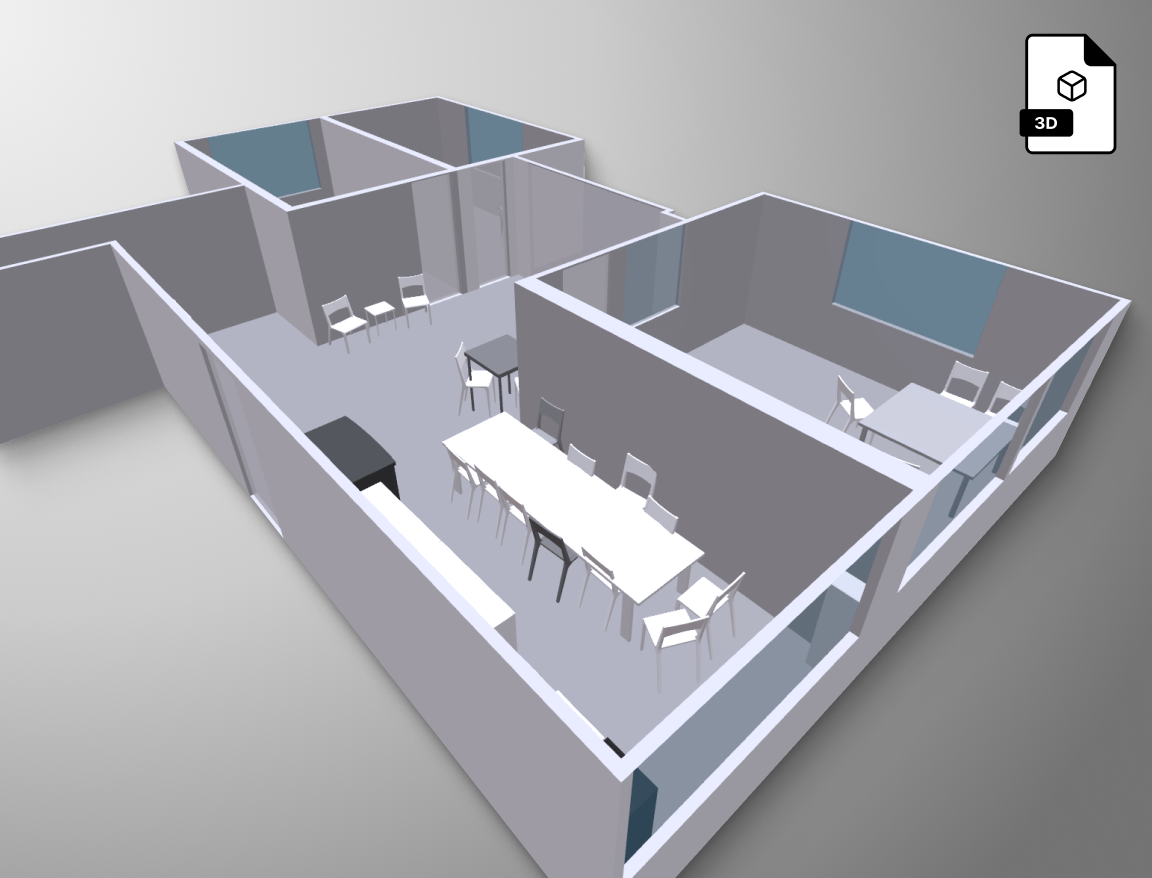
Metaroom provides versatile 3D room models compatible with various 3D CAD programs. Our export supports over 15 formats, including industry standards like IFC, DXF, and GLB.

Why professionals choose Metaroom

Join experts who have already integrated Metaroom’s technologies into their professional workflows.

What professionals say about Metaroom: Markus Hegi, CEO of Relux Informatik AG, highlights the partnership between AMRAX and RELUX as an important step in design and construction technologies. Marc Mörgeli, Lighting Consultant and Project Manager at tulux, says Metaroom has significantly reduced the time spent on measurements compared to traditional laser methods, simplifying his work process and freeing up time for critical tasks. Georg Emprechtinger, CEO of Team 7, emphasizes that digitalization and automation are essential to remaining efficient and competitive in the furniture industry.

Frequently Asked Questions

Metaroom is a professional 3D room scanning platform by Amrax. It turns your iPhone Pro or iPad Pro into a LiDAR-powered 3D scanner that creates digital twins of interior spaces. You can generate 2D floor plans and 3D room models and export them to CAD and BIM software in formats like IFC, DXF, GLB, and PDF.

Download the Metaroom Scan App from the App Store. Open the app, point your device at the room, and walk through the space. The LiDAR sensor captures the geometry automatically. A typical room takes just a few minutes to scan. Once complete, you can access your 3D model in the Metaroom Workspace on your desktop.

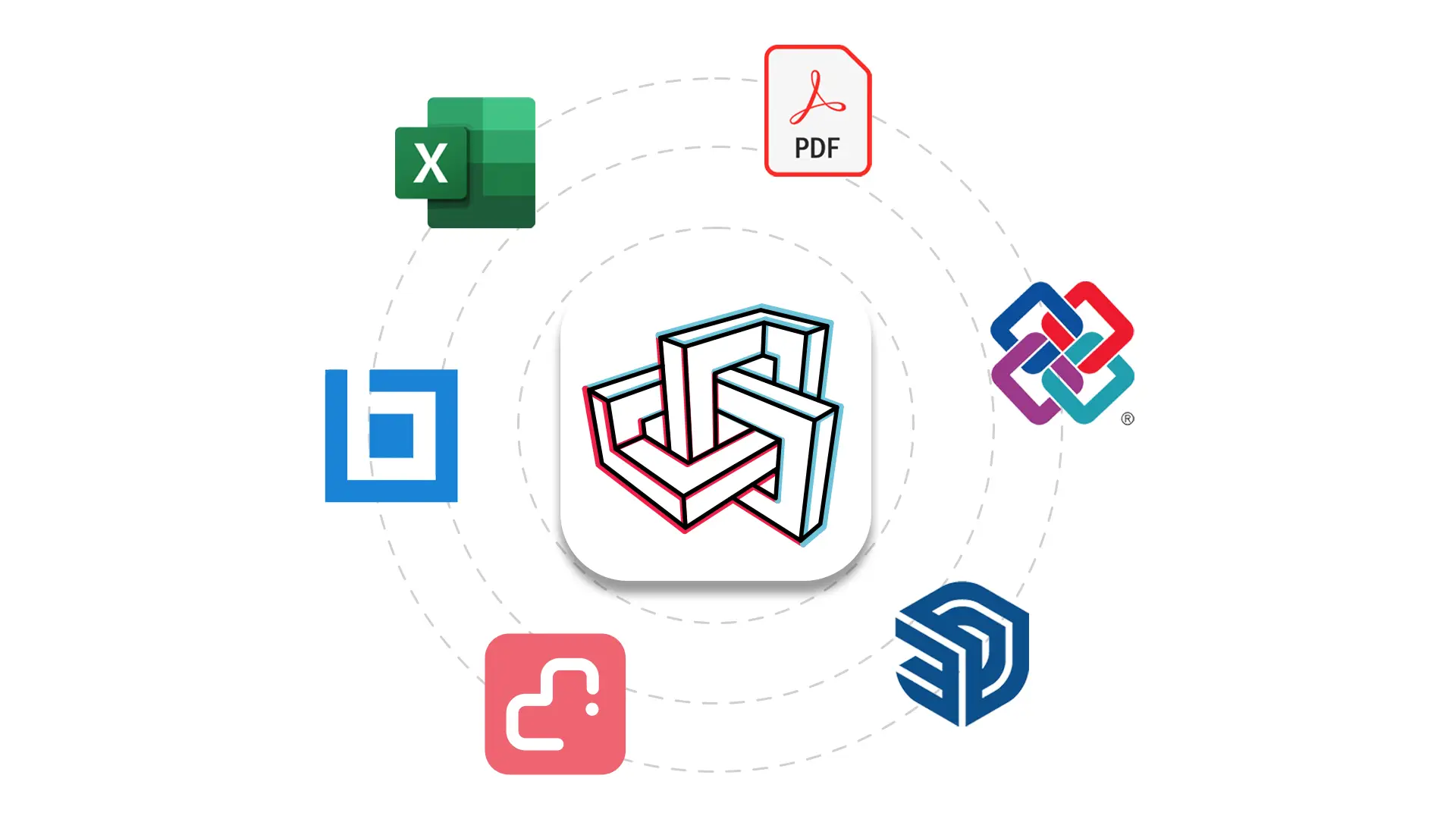
Metaroom supports over 30 export formats. For 2D floor plans, you can export in DXF (for CAD software) and PDF (for documentation). For 3D models, supported formats include IFC, DXF, GLB, and more. This means you can continue working in your preferred software — whether that’s DDScad, CASCADOSPaletteCAD, SketchUp, RELUX, DIALux, or others.

Metaroom scans achieve up to 99% accuracy with measurements precise to the centimeter. This level of accuracy is sufficient for renovation planning, material calculations, lighting design, and most site documentation tasks. Accuracy depends on room conditions and the LiDAR capabilities of your device.

Metaroom is used by professionals across architecture, interior design, building trades, lighting planning, electrical engineering, facility management, real estate, energy consulting, BIM, and carpentry. It’s trusted by organizations like Siemens, Autodesk, RELUX, and Zumtobel. The platform has a 4.7/5 rating on Capterra, GetApp, and Software Advice.

Metaroom offers a free trial so you can test the platform before subscribing. After the trial, it’s available as a flat-rate subscription with no per-scan fees. Visit the pricing page for current plans.

Yes, Metaroom requires an Apple device with a LiDAR sensor. This includes iPhone Pro and iPad Pro models. The LiDAR sensor enables the precise depth measurements needed for accurate 3D room scanning.

Metaroom generates structured 2D floor plans and 3D room models — not raw point clouds that need manual tracing. It exports to industry-standard formats like IFC and DXF, ready for professional CAD and BIM workflows. And unlike per-scan services, Metaroom is a flat subscription with unlimited scans.

Ask AI about Metaroom

Curious how Metaroom works? Ask an AI assistant.

Stop measuring rooms by hand.

Try Metaroom for free. No commitment.

Download Metaroom Scan App for free!

QR-Code with the metaroom logo inside
A person holds a smartphone with a camera app open, focusing on a corner of a room. The screen shows augmented reality lines highlighting the wall edges.