- ENTERPRISE BUILDING CAPTURE · PUBLIC BETA · JUNE 2026
Largest parametric building model ever captured with an iPhone.
Scan to BIM with iPhone Pro. Multi-floor building scans become one design-ready parametric model. Built on Apple RoomPlan.
60,000 m² captured at hospital scale. While the hospital stayed open.
√ iPhone Pro or iPad Pro required √ Public beta.
- HOW IT WORKS
From multi-floor scans to one parametric building model. In one tool.
No extra hardware. No extra software. The building stays operational.
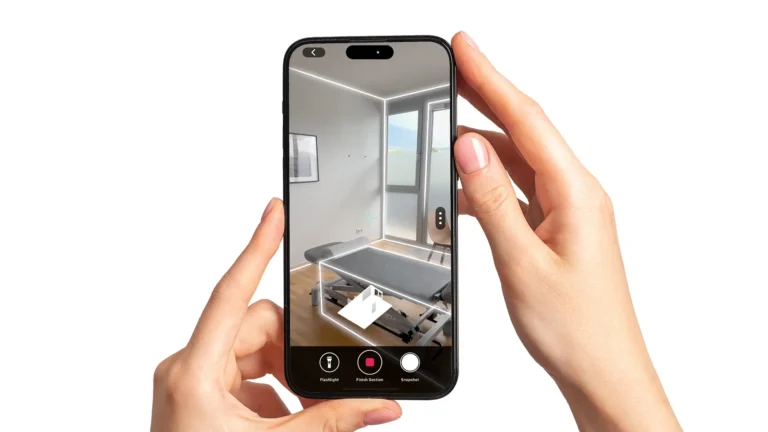
Scan the Floors
Capture each floor separately with the Metaroom Scan App. Make each scan as large as possible — ideally a whole floor in one session.
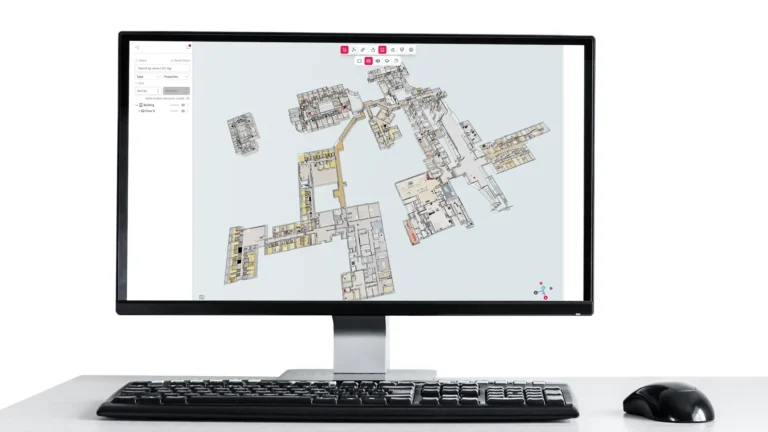
Merge & Align
Bring every floor into one Metaroom Workspace project. Align them with precision transform controls — move, rotate, and snap floors into place.
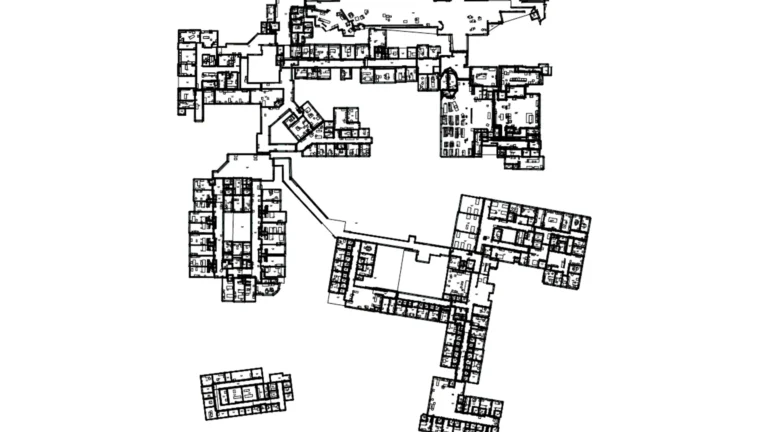
Export & Plan
Export the entire building as one parametric model. IFC for BIM, plus 2D floor plans — every wall, door, and window comes through as a structured object.
- THE DIFFERENCE THAT MATTERS
A parametric model is a deliverable.
A mesh is a picture.
Other mobile scanners give you a 3D image. Metaroom gives you the model your planning software can use.
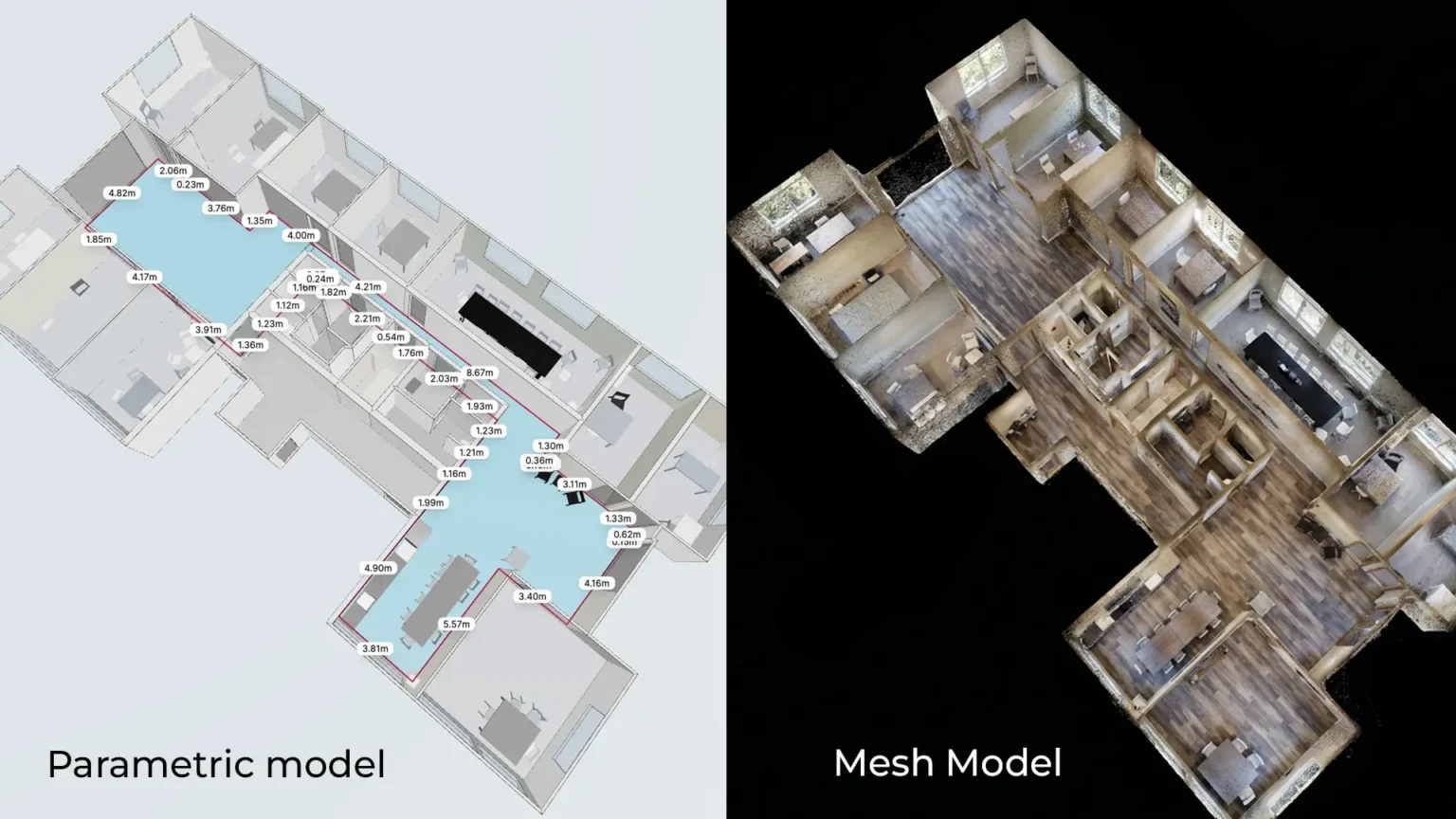
Walls are objects, not surfaces
Every wall, door, and window comes out as a structured object with geometry, dimensions, and classification. A mesh model has none of that.
Exports to IFC
The merged building model exports to IFC for BIM, plus a 2D floor plan as PDF for the rest of the team. Straight into your planning pipeline.
Editable, not just viewable
A parametric model can be edited, enriched, and rebuilt against changes. A mesh is read-only — what you captured is what you keep.
Planning-ready,
not render-ready
BIM, MEP, lighting, energy, facility management — they all need structured data. Mesh stops at visualisation. Parametric is the deliverable.
Proven at hospital scale. Built for any building.
Hospital captured
Across 8 buildings
Cost saving · customer-reported *
Our R&D team scanned a 60,000 m² hospital in Germany.
1,500 rooms across 8 buildings. Captured in 6 days on site by a 3-person team — about 10,000 m² per day. Three days of processing in the Workspace. Two working weeks, end to end. Hospital fully operational throughout, including operating theatres in use. The customer reported ~92% cost saving on digitization vs. their alternative. Multi-floor, multi-session, captured entirely on iPhone Pro using Apple’s RoomPlan API. We built Enterprise Building Capture to make it possible. Now it’s yours.
* Customer-reported on a 60,000 m² hospital pilot vs. their professional-scanning alternative. Project savings vary.
One team. One phone. A whole building in days.
No LiDAR truck. No scan-to-BIM firm. No weeks of redrawing in between.
Hardware
Specialist LiDAR scanners
An iPhone Pro you already have
Expertise
External scan-to-BIM specialists
Your team, in the Workspace
Timeline
Weeks of redrawing
Days, end to end
Four steps. One complete building.
Create a project. Add your floors. Align the walls. Export to IFC or PDF.
Start fresh in the Workspace. Set up the building you'll merge.
Import individual floor scans from your existing projects.
Move, rotate, and scale to line up walls across floors.
One file. The whole building. IFC for BIM, PDF for 2D plans.
Built for the teams that put the model to work.
Enterprise Building Capture is designed for everyone downstream of the scan — the people who plan, document, model, and manage the building after it's been captured.
If your name or your project type is on this list, the beta is built for you.
Frequently Asked Questions
What hardware do I need?
iPhone Pro or iPad Pro LiDAR scanner. No external hardware required.
How is Enterprise Building Capture different from a regular Metaroom scan?
A regular Metaroom scan captures one room or one floor at a time. Enterprise Building Capture lets you combine multiple scans — across floors, across sessions — into one unified parametric model of the whole building.
What can I export?
In the current beta, the merged building model exports to IFC for BIM and as a 2D floor plan (PDF). The comprehensive 2D PDF project report has not been included due to the length of the final document. Additional export formats will follow in later releases.
What does "parametric" mean here?
Every wall, door, and window is a structured object with geometry and classification — directly usable in BIM, MEP, lighting, energy, and facility management workflows. A mesh model cannot do this.
Can I keep editing the merged model after the export?
Yes. The merged building is a normal Metaroom Workspace project — you can keep editing, re-aligning, adding more floors, and re-exporting at any time.
Can the building stay open while we scan?
Yes. In our 60,000 m² hospital reference scan, the building stayed fully operational throughout — nothing closed, including operating theatres in use during scanning. Centimeter-accurate geometry across all 1,500 rooms.
Can two people scan a building in parallel?
Yes — assign different floors to different scanners, then merge them in the Workspace. You cannot continue the same scan on a different device (planned for the future), but splitting floors across devices on the same account works.
Ready to capture your whole building?
60,000 m²
Hospital captured
~92%*
Cost saving · customer-reported
RoomPlan API
Built on Apple
IFC
Direct BIM export
Public beta. iPhone Pro or iPad Pro required.
*Customer-reported on a 60,000 m² hospital pilot vs. their professional-scanning alternative. Project savings vary.





