Large buildings are where building documentation fails hardest. Existing floor plans are outdated the moment a renovation happens. Site visits multiply. Redrawing takes weeks. And the hardware most professionals rely on — professional LiDAR rigs — costs between €20,000 and €100,000 per device, before post-processing, which routinely adds several times that again. For a large site, the total bill can reach €500,000.
And even then, the output is not immediately usable. What you receive is a point cloud: a dense three-dimensional scatter of measurement data that a specialist firm must manually reconstruct into geometry. That reconstruction takes weeks — sometimes months. The timeline, the cost, and the dependency on specialist contractors have long made large-scale building digitization a painful exception rather than a standard workflow.
Metaroom built a different approach.
What Metaroom Built — and Proved in the Field
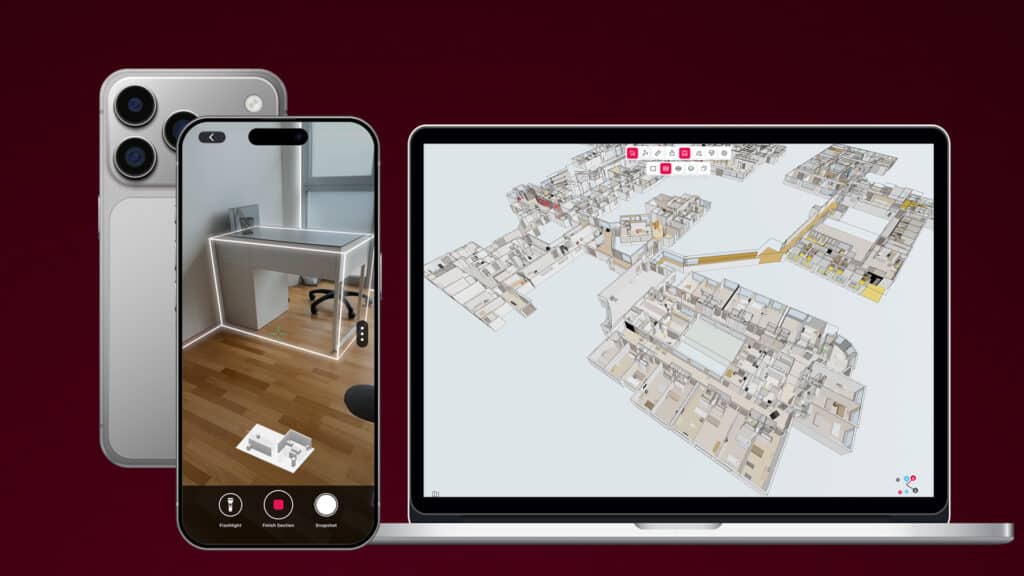
The proof of concept was not a controlled lab environment. Metaroom’s R&D team was invited to fully digitize a 60,000 m² hospital in Germany — fully operational, with no areas available to take offline. The constraints were real: rotating staff access, no dedicated scanning windows, multiple wings captured on different days by different team members.
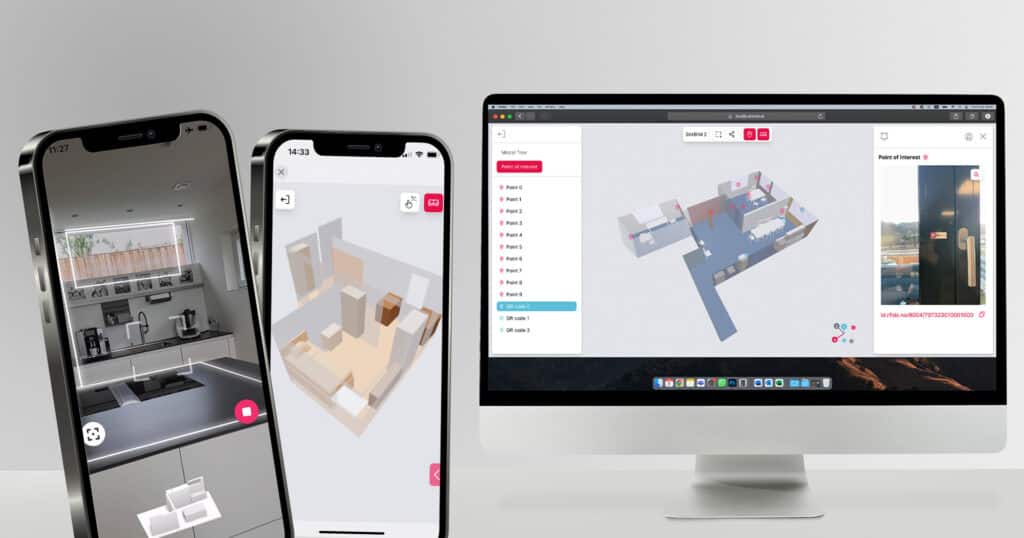
To meet that challenge, Metaroom built Enterprise Building Capture. The hospital project validated it at scale. The workflow has two stages:
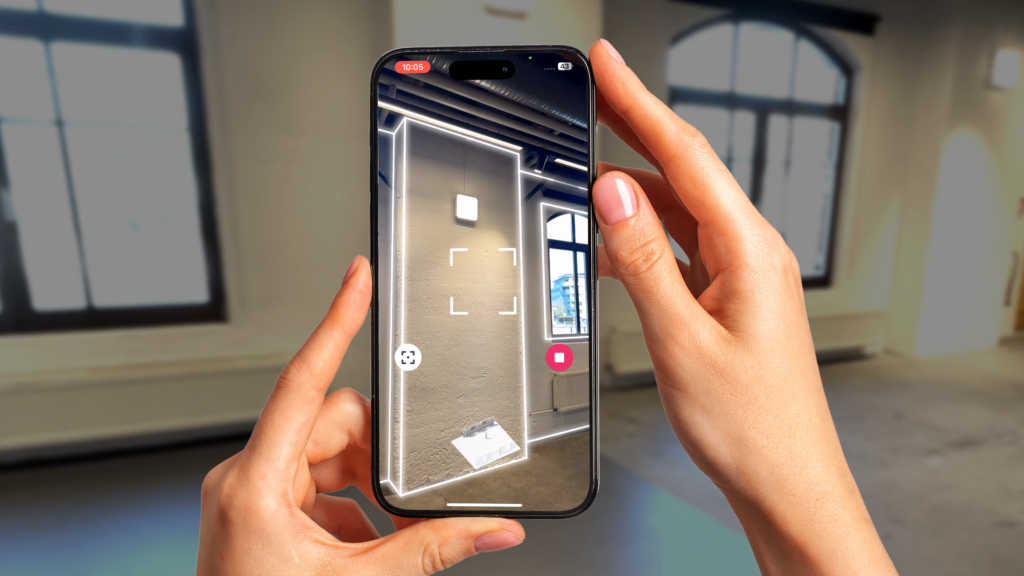
- Scan floor by floor using an iPhone Pro or iPad Pro. Each session is fully independent — different days, different team members, no need to coordinate a single continuous scan.
- Combine sessions into a single parametric building model. A multi-session alignment engine stitches all captures into one geometrically consistent model across all floors and wings, ready to export as IFC or as 2D floor plan PDFs.
Crucially, the output is not a mesh and not a point cloud. It is a parametric model — every wall, door, window, and opening is a structured object with a defined position, height, and thickness. Something a BIM manager, MEP engineer, or energy consultant can work from directly, without any intermediate reconstruction step.
Why the Mesh vs. Parametric Distinction Matters
Most mobile scanning tools — and many professional ones — produce mesh models: three-dimensional visual representations of a space. A mesh looks convincing on screen. You can navigate through it, rotate it, zoom in. But when a professional attempts to use it for planning or compliance work, it falls apart.
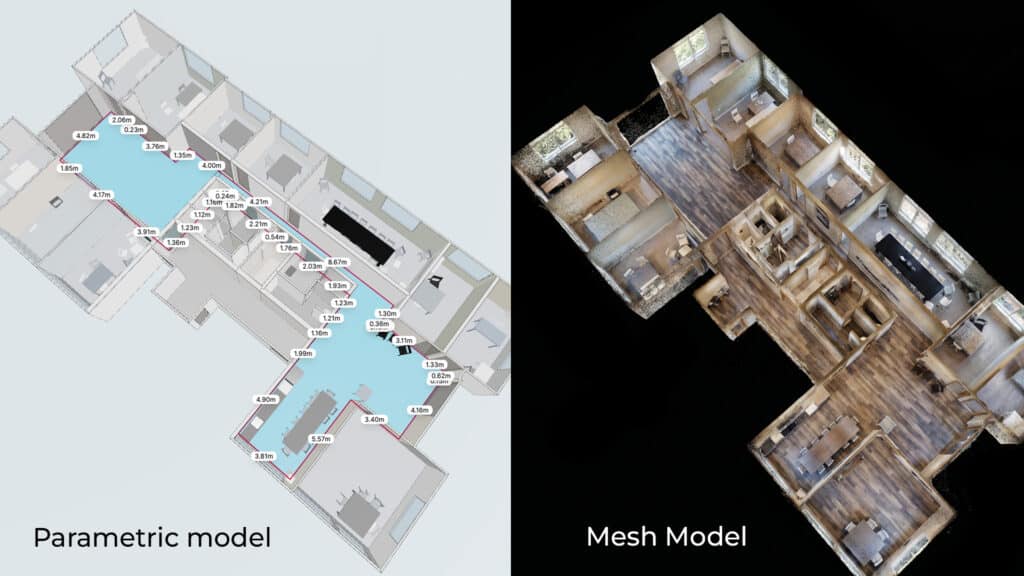
In a mesh, a wall is a surface — adjacent objects blend into each other without clear boundaries or defined properties. There is no height attribute. No thickness. No structured data that a planning tool can parse or query. The model looks like a building but does not behave like one.
A parametric model is architecturally different. Every element — wall, door, window, opening — is a discrete geometric object with a defined position, height, and thickness. It is not a picture of a building. It is a data model of one.
That distinction determines what professionals can actually do with the output:
- A BIM manager can import it into Revit or ArchiCAD and begin working immediately — no redrawing from scratch.
- An MEP engineer receives a base model structured for systems planning.
- An energy consultant has the room geometry and wall data required for thermal assessment.
- A facility manager gets a spatial record that can be queried and updated over time.
None of this is achievable from a mesh without weeks of manual reconstruction by a specialist. Traditional scanning workflows — even those using professional LiDAR hardware — produce point clouds as their raw output, and converting those into usable geometry remains a manual, expert task. That is where the weeks go. Metaroom skips that step entirely: the structured parametric model is generated automatically the moment the scan is complete.
What Is Available Now
Enterprise Building Capture is available today as a public beta — the same technology the Metaroom R&D team used on the hospital project, now accessible to any professional working on large-scale buildings.
In the current beta, models export as IFC — ready for import into BIM, MEP, energy consulting, lighting design, and facility management tools — and as 2D floor plan PDFs. Metaroom supports more than 40 export formats in total, with additional formats following in subsequent releases.
Access is through Metaroom Workspace, which runs in any modern browser with no dedicated hardware or software installation required. The Metaroom Scan App is available on the Apple App Store for iPhone Pro and iPad Pro.
If your current documentation process involves repeated site visits, outdated floor plans, or weeks of waiting for a usable model, Enterprise Building Capture is the workflow that replaces it.
No Hardware. No Specialist Firm. No Post-Processing Contract.
The economics are direct. There is no hardware to purchase, no specialist scanning firm to engage, and no post-processing contract to negotiate. The only equipment required is an iPhone Pro or iPad Pro that professionals already own.
For projects where professional scanning and modeling would typically cost hundreds of thousands of euros, the difference is not marginal. It changes who can afford to digitize a building, how often it can be updated, and how quickly the model reaches the people who need it.