FARO 3D scanner alternatives for as-built documentation
By Karin Örarbäck · Updated October 2026 · 10 min read
Short answer: If you need millimeter accuracy for surveying, deformation monitoring, or fabrication, stay with a survey-grade laser scanner such as the FARO Focus. For as-built documentation, the trade-off looks different: a LiDAR-equipped iPhone Pro or iPad Pro with Metaroom works at centimeter level – and in return it is cheaper, faster, and easier to learn for anyone on the team. Instead of raw measurements, you get a 2D floor plan and a structured 3D model, generated automatically and ready for CAD and BIM.
Most people searching for a FARO alternative are not questioning FARO’s accuracy. They are looking for a tool sized to the job: lower hardware cost, shorter processing, easier to use, and a direct path to a floor plan.
An energy consultant documenting a single-family house does not need a point cloud accurate to 2 mm. He needs room areas and a clean floor plan for the heating-load calculation – quickly, and without a second site visit. An architect preparing a renovation needs walls, openings, ceiling heights, and a clean floor plan in CAD. A facility manager needs room areas in a spreadsheet. All of them need a model they can plan with.
Below, we put the FARO lineup next to the realistic alternatives and say where each one fits. We build Metaroom, so our own product is in comparison – including where it is the wrong choice.
Metaroom is a professional 3D scanning platform for architects, engineers, and building trades. It turns interior scans into structured 3D room models and 2D floor plans for CAD and BIM workflows.
The FARO lineup and its alternatives at a glance
The right tool depends on one question: what tolerance does your downstream work need? Most renovation, energy, lighting, electrical, and facility jobs need centimeters, not millimeters – agree on the tolerance with your client before you choose the scanner.
| Device and type | Stated accuracy | Hardware cost | Software / subscription | Ease of use | Best for |
|---|---|---|---|---|---|
| FARO Focus Premium / Premium Max – tripod laser scanner | up to 2 mm | approx. $65,600 (Premium 200M) to $84,400 (Premium Max 400M) per kit | FARO SCENE not included: approx. $2,600 per year; cloud processing in FARO Sphere XG from approx. $5,100 per year | Expert workflow: many tripod setups, registration in SCENE, then manual modelling in CAD/BIM software | Surveying, BIM verification, large and outdoor sites – with trained scanning specialists |
| FARO Orbis – mobile SLAM scanner | up to 5 mm mobile, 2 mm Flash scan | Quote only | FARO Connect or Sphere XG; price on request | Capture: FARO says, “minimal training is required”. The point cloud still needs processing and modeling by a specialist | Large facilities, plants, tunnels |
| FARO Freestyle 2 – handheld scanner | ≤0.5 mm close range, 15 mm at 10 m | approx. $9,000–12,500 (dealer) | SCENE Capture on the bundled PC; desktop SCENE extra | Capture: FARO says, “easy to use even for untrained operators”. Floor plans and models still need processing and modelling | Detail areas, forensics, small spaces |
| Trimble X7 – tripod laser scanner | 2.4 mm at 10 m | approx. $30,000 (dealer offer; previously $47,000) | Trimble Perspective included for 1 year (then approx. $1,300 per year); RealWorks office software from approx. $1,600 per year | Capture: automatic calibration; Trimble says it “doesn’t require scanning expertise”. Modeling remains a separate step | Surveying, construction, industrial, MEP quality checks |
| Leica BLK360 G2 / BLK360 SE – compact tripod scanner | 4 mm at 10 m (BLK360) | $26,500 (BLK360, Leica US shop); BLK360 SE package €14,000–16,000 | Cyclone REGISTER 360 PLUS BLK Edition $2,650 per year; SE package includes 1 year of Cyclone FIELD 360 | One-button scanning, automatic scan alignment; modelling remains a separate step | Smaller survey-grade jobs |
| Matterport Pro3 – tripod camera + LiDAR | ±20 mm at 10 m (Matterport spec) | from $3,995 (Matterport US store) | Professional plan or higher required (Pro3 does not work with the free plan), from approx. $90 per month billed annually; BIM files, floor plans and E57 as paid add-ons | Easy capture: tripod sweeps of under 20 seconds; BIM files are produced by Matterport as an add-on | Real estate tours, facility walkthroughs |
| iPhone Pro / iPad Pro + Metaroom – phone LiDAR + cloud reconstruction | up to 99%, cm-level (about 1% local deviation in a reported hospital project) | Device you may already own | From €149 per year, unlimited scans; 30-day free trial, no credit card (see pricing) | Easy to learn in 1-2 hours of training. Handheld, room by room; floor plan and 3D model are generated automatically, no separate modeling step | As-built floor plans, IFC/DXF, room areas – for any team member, no scanning specialist needed |
Prices: US dealer prices or published list prices as of October 2026, not quotes. FARO and Trimble publish no list prices. Sources: 3D Mag, 4K Equipment, Seiler, Leica shop, Matterport, SofaBrain (Matterport plans). Renting is an option too: 3D Mag lists around $5,150 per month for a Focus Premium 200M kit.
The hidden cost is the skill set. A laser scanner delivers a point cloud. Turning it into a floor plan or BIM model takes registration software, a CAD or BIM license, and a specialist who knows both capture and modeling – skills that take months to build. With Metaroom, the floor plan and 3D model are generated from the scan, so anyone on the team can learn it in a few hours.
The alternatives, one by one
FARO Orbis alternative: when mobile mapping is more than you need
For a typical office floor, apartment or school building, the Orbis delivers more data than the floor plan needs, and the point cloud still has to be processed and modelled. Keep the Orbis – or rent one – for industrial sites, outdoor areas or contracts that specify point-cloud accuracy.
FARO Freestyle alternative: when you scan rooms, not parts
For whole rooms, the question is the output, not the range. A phone with LiDAR gives you a structured, parametric room model rather than raw points, but it does not replace fine surface capture or tight tolerances.
FARO Focus alternative: the tripod question
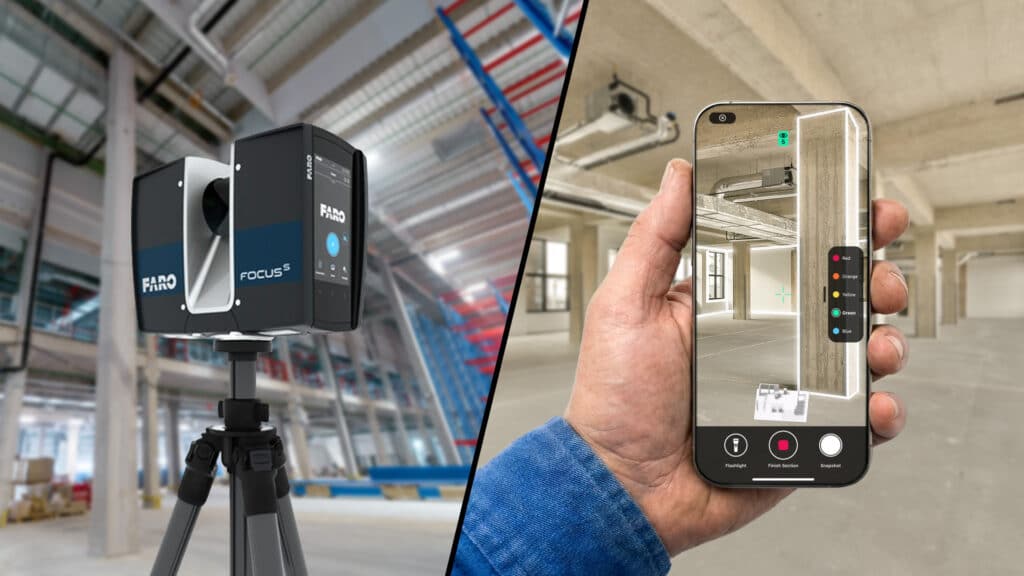
The Focus is built for detailed, survey-grade building capture. Each setup is fast, but a building still means many setups, registration and usually a modelling step before anyone sees a floor plan.
Other tripod scanners (Leica BLK360, Trimble X7) differ in price, size and speed, but work within the same point-cloud workflow. Metaroom is a different route when what you need is structured, parametric interior geometry.
What independent research says about phone LiDAR
Several studies have tested iPhone and iPad LiDAR against professional laser scanners: around 1–1.5 cm deviation in single rooms (Kucak et al., 2023; Zaczek-Peplinska & Kowalska, 2022), growing to 4–8 cm across larger spaces scanned with general-purpose apps (Yanchuk et al., 2025; Jeftha & Shoko, 2024).
So whether phone LiDAR is accurate enough depends on your project: for millimeter tolerances, no; for centimeter-level as-built documentation, yes. And how you scan matters as much as the sensor. Room-by-room sections, slow and planned movement and tracking feedback all support capture quality, and that is how Metaroom structures a scan. The studies did not test Metaroom itself, so check a few reference measurements on critical dimensions.
Phone-based LiDAR: Metaroom, Polycam, magicplan
If you own an iPhone Pro or iPad Pro, the sensor is already in your pocket. The difference is the app, and what it turns the scan into:
- Polycam covers general-purpose 3D capture meshes, point clouds, and 3D content for a wide range of uses. It also offers floor-plan exports such as PDF, DXF, and CSV, depending on the plan.
- magicplan focuses on floor plans, estimates, and field reports – the path from site measurement to quote. It runs on iOS and Android, supports LiDAR capture, and offers IFC exports on applicable plans.
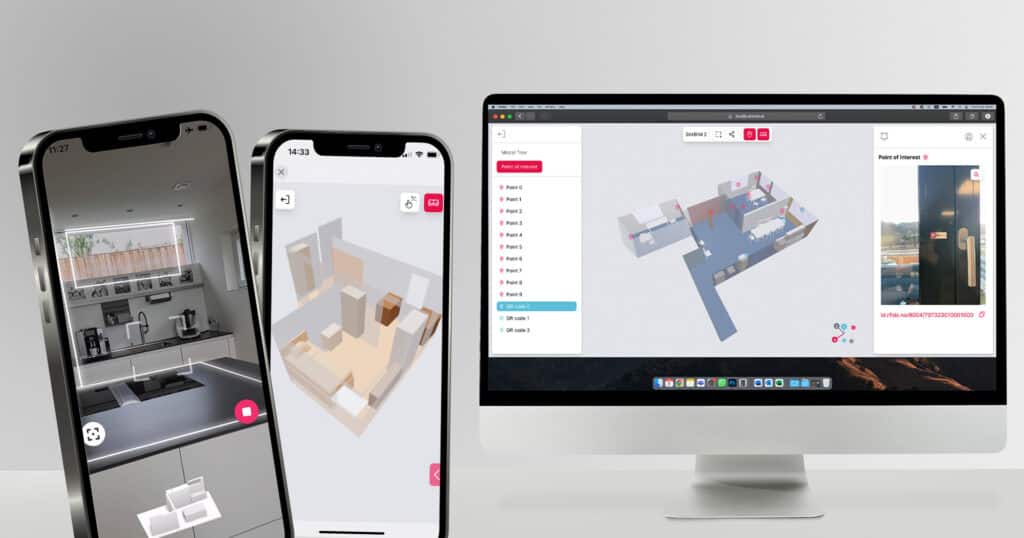
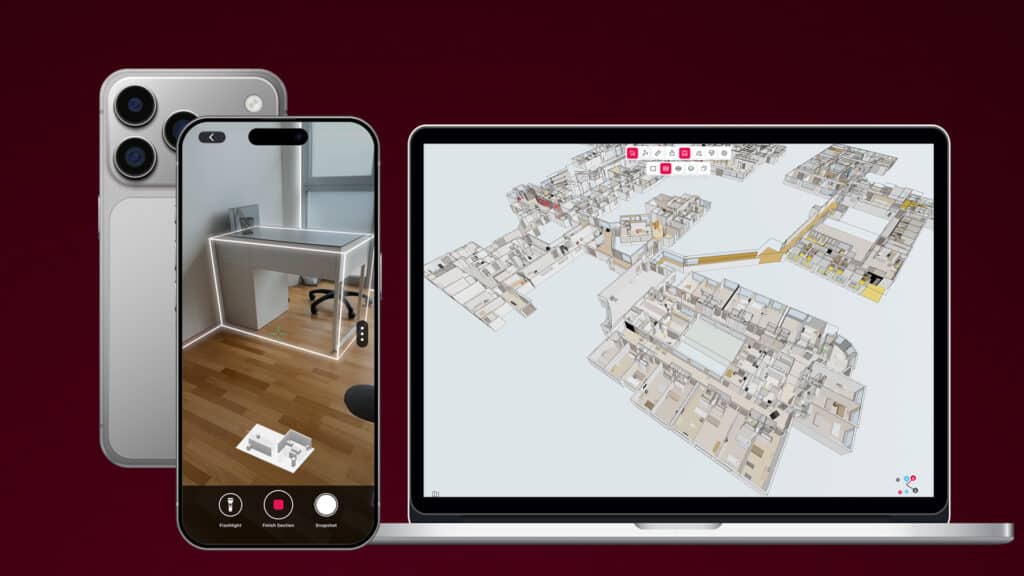
- Metaroom turns room scans into structured building models for CAD and BIM workflows. Scan room by room; the cloud reconstructs the scan, and you get a 3D model and a 2D floor plan in the browser-based Metaroom Workspace. From there, you export to 40+ formats, including DXF, IFC, Excel quantities, and formats for Graphisoft ArchiCAD, Revit, DIALux, Relux, Bluebeam, DDS-CAD, and CASCADOS.
What Metaroom adds for professional documentation:
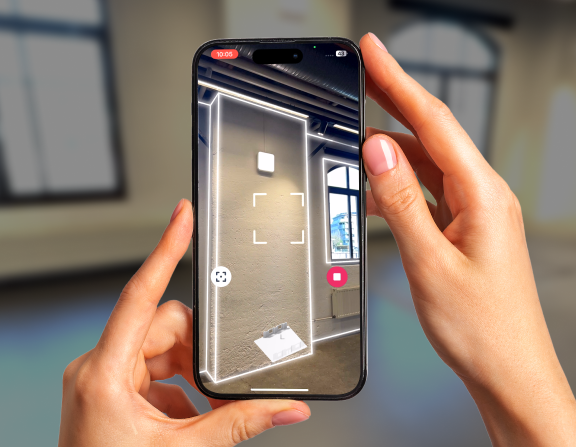
- Structured capture. Sections per room and a Tracking Assistant that warns when tracking becomes unstable, so you can correct course while you scan.
- Snapshots. Photos tied to their position in the model for radiators, sockets, damage, or anything you need to find again. Export them as a structured report per floor.
- Measurement in the model. Measure walls, areas, and slopes in the Workspace after you leave the site, instead of going back.
- Additional 3D elements. Create boxes or surfaces from Snapshots, name them and assign IFC classes for downstream planning. This tool makes it easy to capture and document individual assets (MEP, architectural, security, furniture, decorations …) and adds spatial intelligence for the user with additional objects in 2D and 3D, which makes planning easier.
Building-scale example: a 60,000 m² working hospital
LiDAR News has reported that the Metaroom team captured a fully operational German hospital of about 60,000 m² with roughly 1,500 rooms on iPhone Pro devices. Three people scanned in parallel over six days on site, in sessions of about six hours. One person then spent four days on post-processing and export in the Metaroom Workspace – roughly two working weeks in total.
The deliverable was a single structured parametric building model, not a point cloud or mesh. The article reports local accuracy typically within about 1% (around 5 cm over 5 m) and puts the project cost at around €40,000, against conventional approaches that commonly approach €500,000. The workflow used, Enterprise Building Capture, is available as a public beta.
For transparency: the article was contributed by Metaroom and edited by LiDAR News. It shows what a building-scale workflow looks like; it is not independent proof of survey-grade accuracy. Read the full report: Scanning a 60,000 m² Working Hospital on an iPhone Pro.
Where Metaroom is the wrong choice: millimetre-critical measurement, deformation monitoring, outdoor surveying, detailed fabrication geometry, and teams without a LiDAR-equipped iPhone Pro or iPad Pro. For very large buildings, the deciding factors are the required detail and alignment, not size alone.
Which tool fits your job?
| Your deliverable | Tolerance you need | Practical choice |
|---|---|---|
| Point cloud for surveying, structural checks or fabrication | mm | FARO Focus, Leica or similar – buy or rent |
| Industrial plant, tunnel, large outdoor site | mm to low cm, large area | FARO Orbis, NavVis or similar mobile mapping |
| Small detail areas or components | sub-mm | FARO Freestyle or another handheld scanner |
| Virtual tour for marketing or remote walkthroughs | visual | Matterport |
| 2D floor plan, room areas, IFC/DXF model of an existing building, with photo documentation | cm | iPhone Pro / iPad Pro with Metaroom |
Many teams use both: a laser scanner for the jobs that need it, and phone scanning for daily interior documentation and fast floor plans and 3D models. If you need survey-grade millimeter accuracy to capture only a few times a year, compare renting a FARO for those jobs with the total cost of owning one, including software and processing.
Try it on your next as-built job
Scan one room with your iPhone Pro or iPad Pro. Open the floor plan in the browser. Export it to the software you already use.
Start for free – no credit card required. See plans and pricing
Frequently Asked Questions
Is there a cheaper alternative to a FARO laser scanner?
Can an iPhone replace a 3D laser scanner?
For interior as-built documentation, yes. For tight-tolerance surveying, no. Independent studies measured around 1–1.5 cm error in single rooms, with larger deviations across bigger spaces. Check that against the tolerance of your floor plan or planning model needs.
How accurate is Metaroom?
Up to 99% at centimeter level; in the reported hospital project, local deviation was typically about 1%. Accuracy depends on room conditions, the device, and capture quality. Scan room by room, move slowly and use the Tracking Assistant. For critical dimensions, check a few reference measurements with a laser distance meter.
What is a cheap LiDAR scanner for buildings?
An iPhone Pro or iPad Pro. Apple’s Pro models have included a LiDAR sensor since 2020, with a range of about 5 m, which suits interior rooms. The sensor alone does not create a floor plan; the app does.
Can I get IFC or DXF files from a phone scan?
Yes. Metaroom supports 40+ export formats: 2D floor plans as DXF and PDF, structured 3D models as IFC and areas as Excel, plus formats for Graphisoft ArchiCAD, Revit, DIALux, Relux, Bluebeam, DDS-CAD and CASCADOS. Other apps cover some of these too: magicplan offers IFC and Polycam offers DXF floor plans on applicable plans.
Sources
- 3D Mag: 3D-Laserscanner für Gebäude: Preise 2026 (updated Sept 2026)
- LiDAR News: Scanning a 60,000 m² Working Hospital on an iPhone Pro (Aug 2026)
- Geo Week News: FARO releases new mobile scanner (Orbis)
- Laser Scanning Europe: FARO Focus Premium Max updates
- FARO: Freestyle 2 tech sheet (rev. 2021)
- Kucak, Erol, Alkan: Comparative performance analysis of the iPad Pro LiDAR sensor with a professional terrestrial laser scanner, Geomatik, 2023
- Yanchuk et al.: Accuracy assessment of a 3D model obtained using the LiDAR sensor of the iPhone 13 Pro Max, Geodesy and Cartography, 2025
- Jeftha, Shoko: Mobile phone based laser scanning as a low-cost alternative, South African Journal of Science, 2024
- Zaczek-Peplinska, Kowalska: Evaluation of the LiDAR in the Apple iPhone 13 Pro for use in inventory works, FIG Congress 2022
- Polycam: What file types can Polycam export?
- 4K Equipment: FARO software prices (US dealer)
- Seiler: Trimble X7 scanning system (US dealer)
- Trimble: X7 datasheet
- Leica Geosystems: BLK360 shop · Cyclone REGISTER 360 PLUS BLK Edition
- Matterport: Pro3 · Pro3 store page and specs
- SofaBrain: Matterport pricing 2026 (updated Oct 2026)
- FARO: Orbis product page
- magicplan: IFC and BIM · LiDAR auto scan